
How can we help?
Browse our guides for answers to the most common questions, or get in touch with our team.
Frequently asked questions.
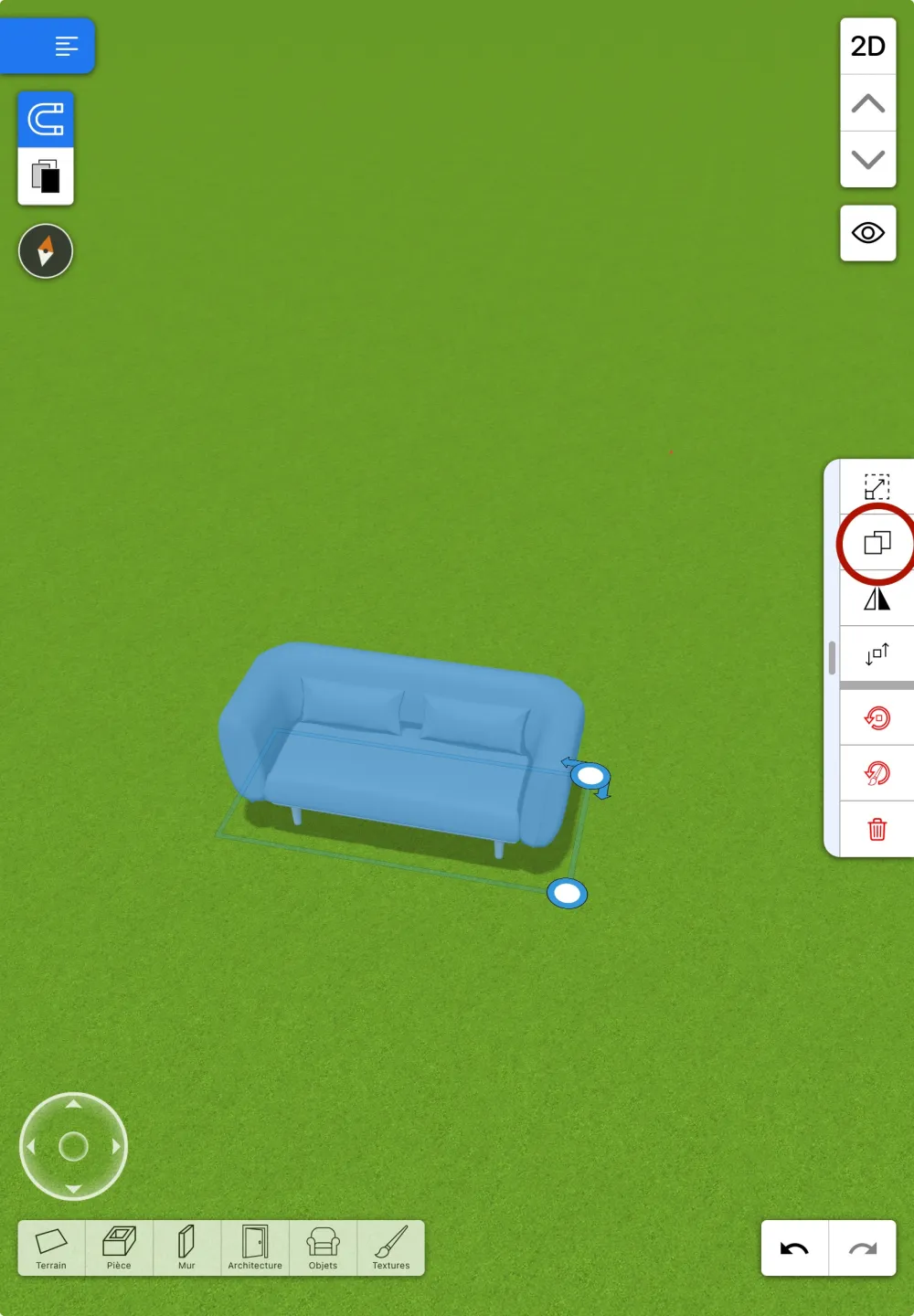
How to copy a 3D object HD3D general help
To copy an object select the object then select the icon in the right menu (photo attached on iOS).
(It is not possible to copy rooms, only objects, including grouped objects)
Restore purchases Support
On Home Design 3D, you can restore your purchases and reinstall the app without any limitations.
To do so, please check the following:
- You must use the exact same Apple, Google, Steam, Microsoft Store, or Meta account that you used for the initial purchase.
- Make sure you reinstall the exact same version you purchased.
- On iOS, please consult this dedicated FAQ : https://support.homedesign3d.net/en/support/solutions/articles/23000029333-purchase-management-and-restoration-on-version-5-5-
- On other devices: simply install the app from your app store, and your purchases will be restored automatically. (Depending on your version and the pack purchased, you may need to go to the in-app store and tap "restore purchases").
- Only the Gold (or Gold+) version grants access to all content packs. Purchasing the Classic (save) version in the Freemium app does not grant access to the content. You can view the contents of your order in the confirmation email you received after your initial purchase.
You cannot restore a purchase on a different type of device, only on the same operating system:
iOS only on iOS devices (iPhone & iPad)
macOS Store only on macOS devices (Mac)
Android only on Android devices
Steam only on Steam (PC and Mac)
Microsoft Store only on the Microsoft Store (PC)
Meta only on Meta (Meta Quest).
If you experience persistent problems, please contact our support team, attaching your order receipt and any other relevant information you have.
Note: Apple "Family" accounts do not allow sharing or reinstalling in-app purchases, such as Apple Gold Plus.
Purchase management and restoration on version 5.5+ iOS support
Home Design 3D is now available in a new version with a brand-new store and new offers.
Regarding previous versions, the Gold version (yellow icon) is still available for download from your purchase history if you purchased it, but it is no longer available in the Apple Store (Apple Store > profile in the top right corner > Apps).
Now, only one version is available in the Store (the Freemium version with a new green icon).
If you purchased the Classic, Gold, and Gold+ upgrades within the app (Freemium or Gold), rest assured, your upgrades will still be available.
The Gold and Gold+ in-app purchases in the Freemium version are no longer available for purchase but can be restored if you previously purchased them.
(Purchases are automatically restored, but if you need to reinstall or encounter any difficulties, feel free to tap "Restore my purchases" from the in-app store.)
Please verify that you are signed in with the correct Apple account on your device.
Finally, you now need to sign in with an HD3D account to access the app, but rest assured that your past purchases and projects will be immediately accessible, regardless of the account you sign in with. Feel free to create a new one or sign in using one of the login buttons.
My Android App on my PC or my MAC ? Androïd support
The Androïd application can not be installed on a PC or a MAC and its purchase does not allow access to the PC or MAC version.
https://en.homedesign3d.net/#versionsHome Design 3D desktop - PC / MAC compatibility Divers
Compatibility of PC and MAC versions of Home Design 3D:
(No compatibility of these versions with iOS or Android).
HD3D Steam Version: PC and Mac
PC version not Steam: PC only
MAC Store version: MAC only
Still need help?
Describe your issue and our team will reply by email.